

21 ago. 2026 By Four Pees
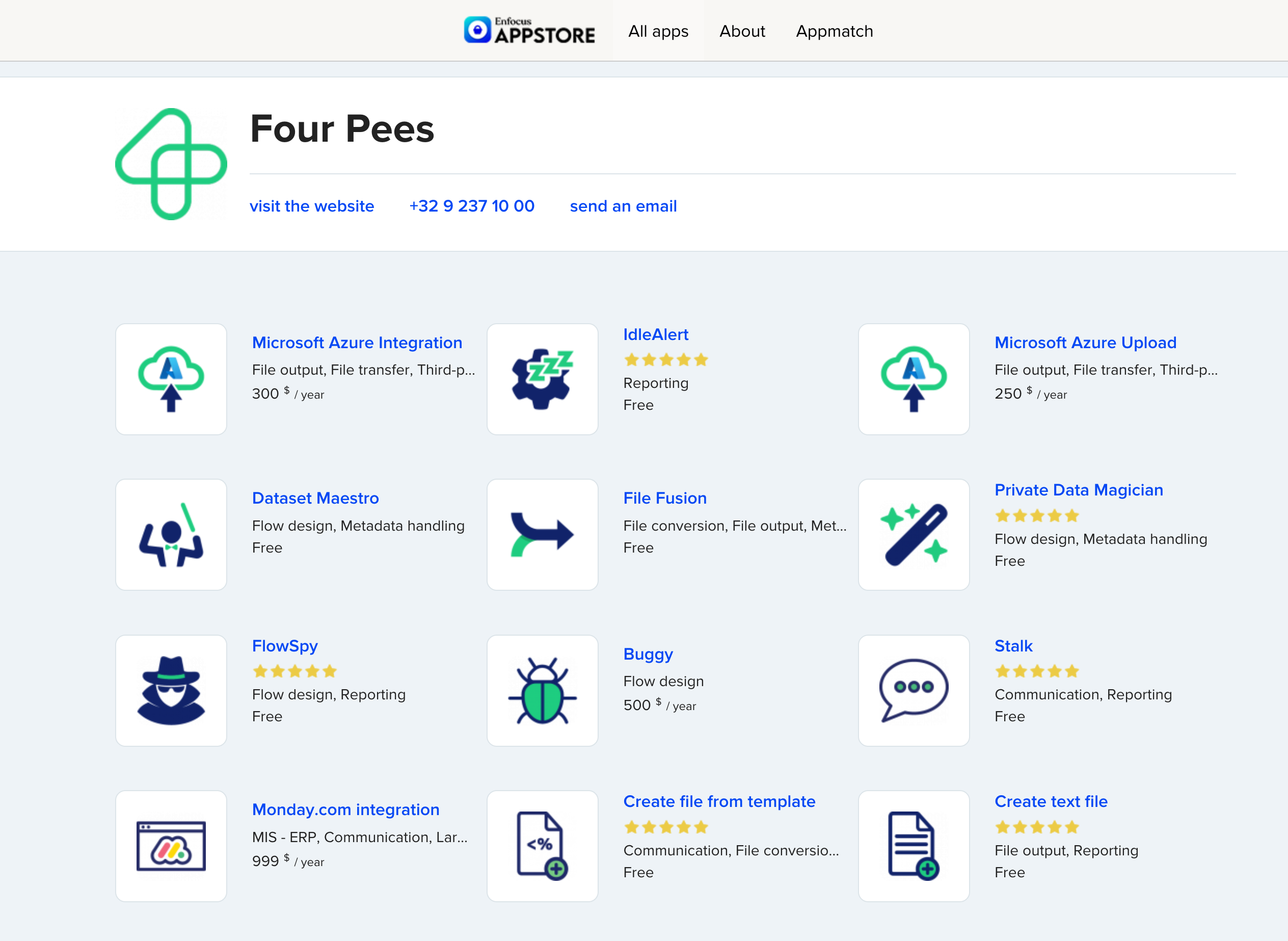
Alongside the workflows we design and the platforms we implement, Four Pees builds software of its own: a growing family of apps for Enfocus Switch, published on the Enfocus AppStore. Some are free, some are paid, and all of them exist because we kept meeting the same gaps on real production floors and decided to close them properly.
The current line-up ranges from small utilities to full integrations. Free apps include Dataset Maestro and Private Data Magician for flow design and metadata, File Fusion for file conversion and output, FlowSpy for flow reporting, Stalk for communication and reporting, and Create file from template and Create text file for generating files inside a flow. Paid apps include Buggy for flow design and the Monday.com integration for connecting Switch to your MIS. Every one installs straight from the AppStore, with a free trial before you commit.
The app we have been working on most is the Microsoft Azure Integration, and it is the one to look at if the cloud is part of your storage story. It is not a single connector but three apps that work together to move jobs between Switch and Azure Blob Storage.
Microsoft Azure Send uploads a job to a blob container and preserves the folder hierarchy for multi-file jobs, so nothing is flattened on the way up. An optional setting zips the content before it goes, and the app writes the blob URL back as private metadata so later steps know exactly where the job landed. Microsoft Azure Get pulls a blob back into the flow using that stored URL, can optionally delete the source once it is retrieved, and lets you decide whether the download replaces or attaches to the incoming job. Microsoft Azure Delete removes a blob by URL when a job is done, so your storage stays tidy. All three share one connection string and let you pick the container by name or from a library list, and each can sit mid-flow or at the end of a flow.
Three patterns come up again and again: archiving finished jobs to cheap, durable cloud storage instead of filling the Switch server; offloading large files off the production machine and pulling them back only when needed; and moving jobs between sites, or handing them to a downstream system, through a shared Azure container rather than more ad hoc glue. Because the blob URL travels as metadata, the round trip stays clean and traceable.
The Microsoft Azure Integration runs on Switch 2024 Spring or later, on Windows and Mac, as a yearly subscription with a 30 day trial. If you only need the upload half, the lighter Microsoft Azure Upload app covers that on its own.
We build these apps, we support them, and we use them ourselves when we implement workflows for customers. Browse the full set on the Enfocus AppStore under Four Pees, and if you are weighing up how cloud storage should fit into your Switch setup, that is exactly the kind of thing we like to work through with you.
